DELTARUNE Fight Player Tools
Quick references you can keep open on a second monitor while the soul box is moving.
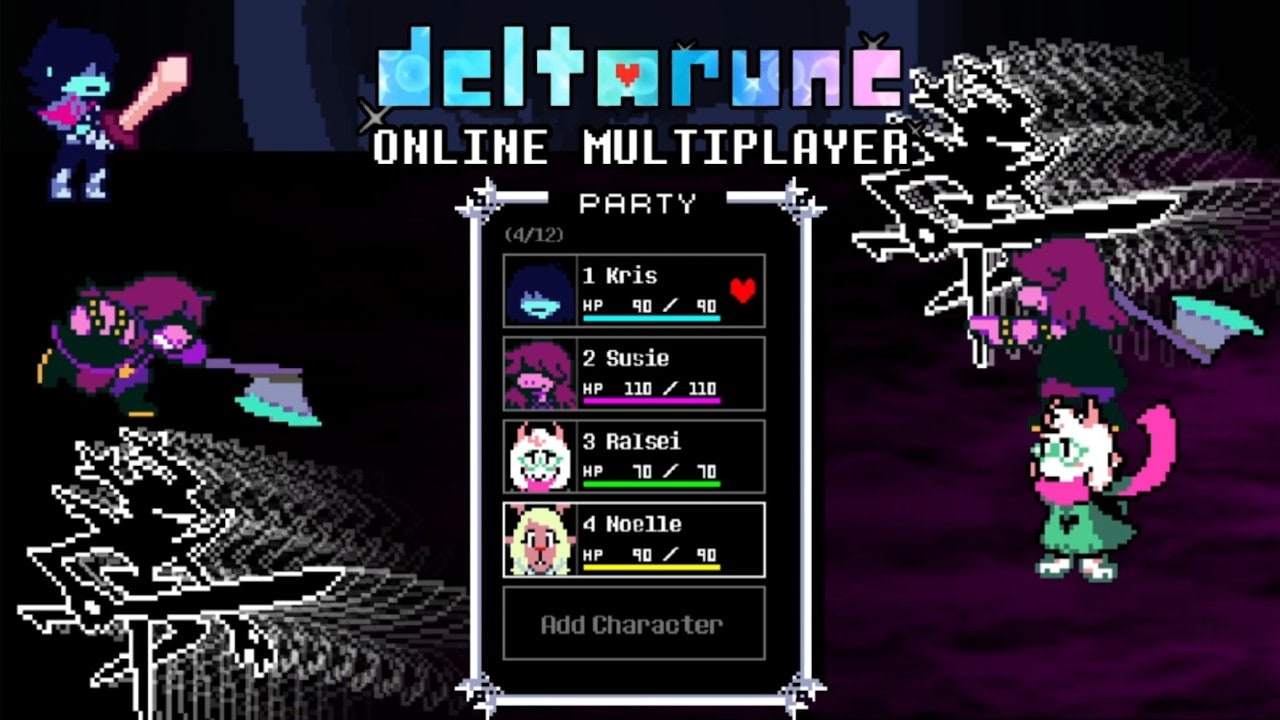
DELTARUNE Fight does not ship a built-in wiki, a dummy tutorial that covers Versus, or a party planner. The Dojo expects you to already know that Z confirms and that Ralsei is the heal button. These tools are the missing overlays: a keybind reference you can screenshot, and a party planner that forces you to pick four names before you waste a Versus round.
They are not executors. Cheat talk lives on the Scripts Hub. These pages are for people who intend to play the soul box honestly and still want a checklist.
What to open during a session
| Tool | Use it when |
|---|---|
| Keybinds | First spawn, laptop keyboards, console drift, mobile UI |
| Party planner | Before Dojo bosses or VERSUS |
| Character tier list | After the planner, if you cannot decide |
| Controls guide | If a keybind row is not enough and you need the bugs |
Keep this hub pinned if you are the one who teaches friends. Send them the keybind table, not a 40-minute video, then send Getting Started.
Why a planner matters in a sandbox
The Party menu will let you add almost anyone. That freedom is how people end up with three Jevils and no healer, then rage at the first long pattern. The planner page asks four questions in order: who leads, who bursts, who heals, who is the flex. It also has a Versus column because the PvE answer (stack bosses) is the wrong Versus answer (do not donate Ralsei to Rude Buster).
If you already know the roster, you still want the planner on nights when Pink is new. Event characters break muscle memory. Pair the planner with Saturday Pink that week.
How these tools stay accurate
Keybinds are copied from the live Roblox description (Z/K, X/L, C/M) plus player reports about soul movement and the Shift-slow bug. If the creator remaps confirm, this hub will change the same day as patch notes. We will not keep a cute diagram that disagrees with the description block.
The planner never claims official ATK numbers. This sandbox lets some PC clients type stats. Your mobile friend cannot. Plan around roles, not a spreadsheet from the PC RPG.
Suggested second-monitor layout
- Left: Roblox window.
- Right top: keybinds.
- Right bottom: how to fight or how to PvP depending on the queue.
- After a wipe: party planner and swap one slot only.
Changing two slots at once teaches you nothing. The planner says that twice on purpose.
Related
If a browser overlay or community calculator appears, it will get a third child page. Until then, these two tools plus the tier lists are the whole kit.
Frequently Asked Questions
Quick answers for Castle Town, the Dojo, and Versus nights.
Are these in-game tools?
No. They are wiki checklists. The game itself only gives you the Party menu and the soul box.
Do I need the planner for casual Dojo?
No, but it stops you from stacking four damage dealers. Use it before Versus for sure — party planner.
Where are the actual key names?
On the keybind reference and the longer controls guide.